
AApprovals in plain language
Know what you’re saying yes to.
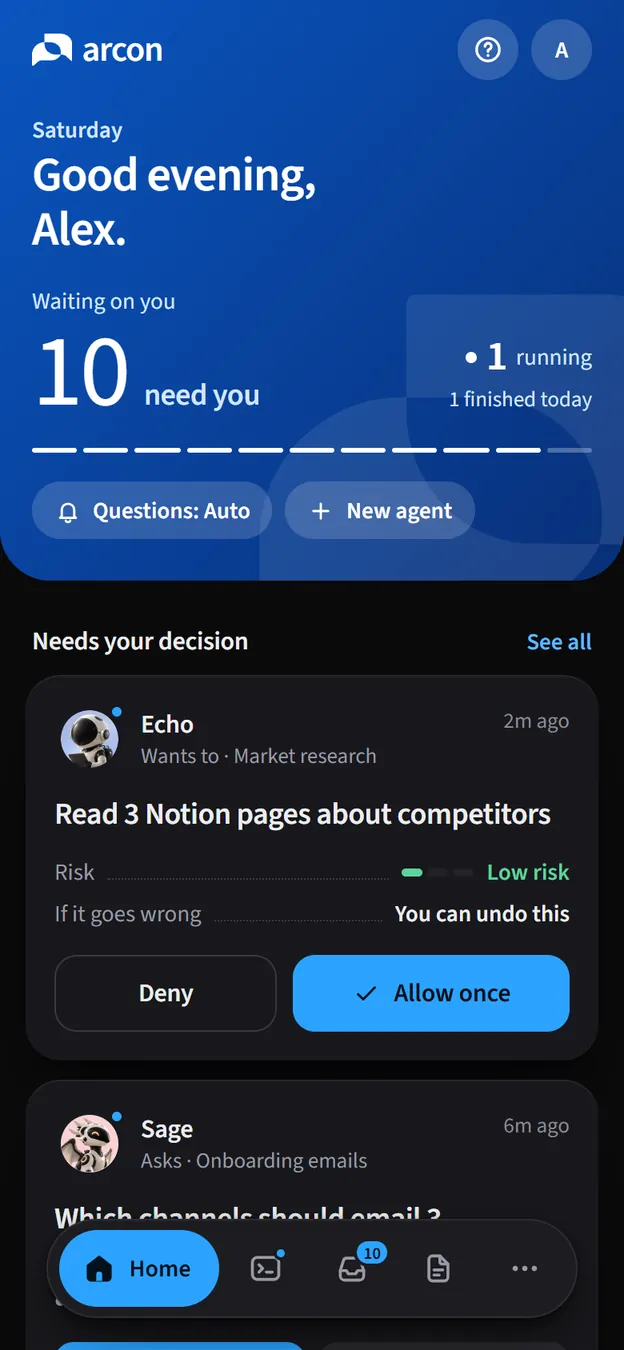
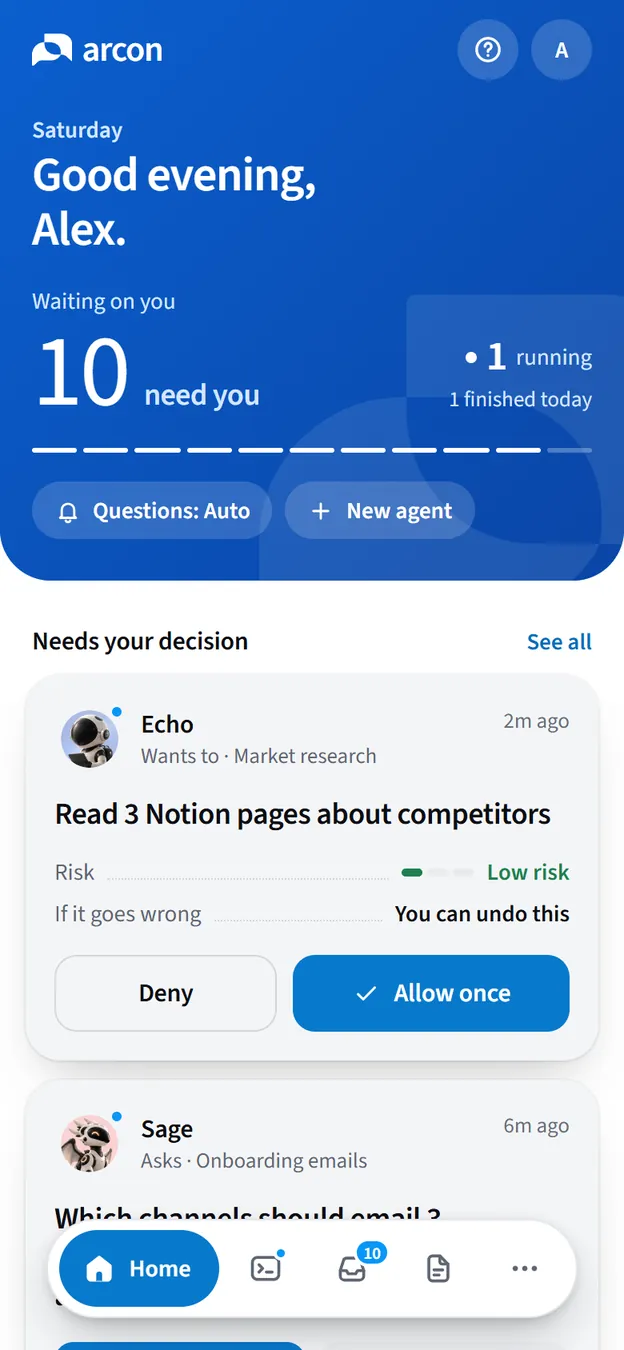
Every request says what the agent will do, how risky it is, and whether it can be undone. The answer we suggest is the obvious button.
Private beta · invite-only · free while in beta
Watch, approve and steer Claude Code, Codex and any terminal agent while they work on your computer. From your phone, from the web, and from the Windows app, now in early access.

Arcon is independent and not affiliated with Anthropic, OpenAI, Google or Anysphere.
arcon runarcon runarcon run -- <command>The short version
Coding agents rarely get stuck on the code. They get stuck waiting for you  a permission, a question, a quick yes. Arcon brings every one of those moments to wherever you are
  in words you can decide on.
When a turn ends with a question, Arcon keeps the session open, finds you, and carries on in the same session with your answer. Nothing is resumed. No context is lost.
Without Arcon, the agent would stop and wait for you to notice. With it, the turn stays open and the question becomes a card: what it needs, one point per line, the full message one tap away.
At your computer? The question waits in the terminal and the desktop app. Step away and after 60 seconds it also reaches your phone. Say “I’m away” and it goes straight there.
Answer from the card, the session chat, the desktop app or the terminal. The first answer wins, and the agent picks up exactly where it was.
Works with Claude Code and Codex. No answer within 20 minutes? The turn ends, just as it would without Arcon.
The things you stop doing by hand, from approving a risky step to keeping an eye on the bill.
AApprovals in plain language
Every request says what the agent will do, how risky it is, and whether it can be undone. The answer we suggest is the obvious button.
BRemote start · routines · quick prompts
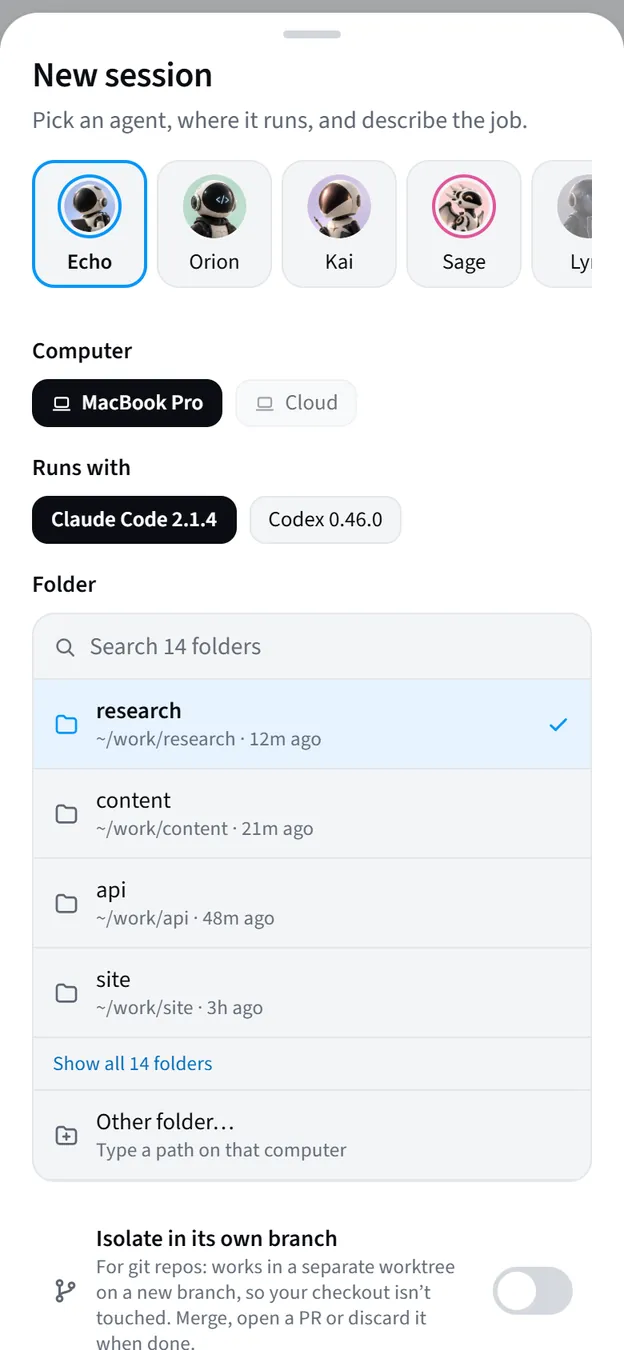
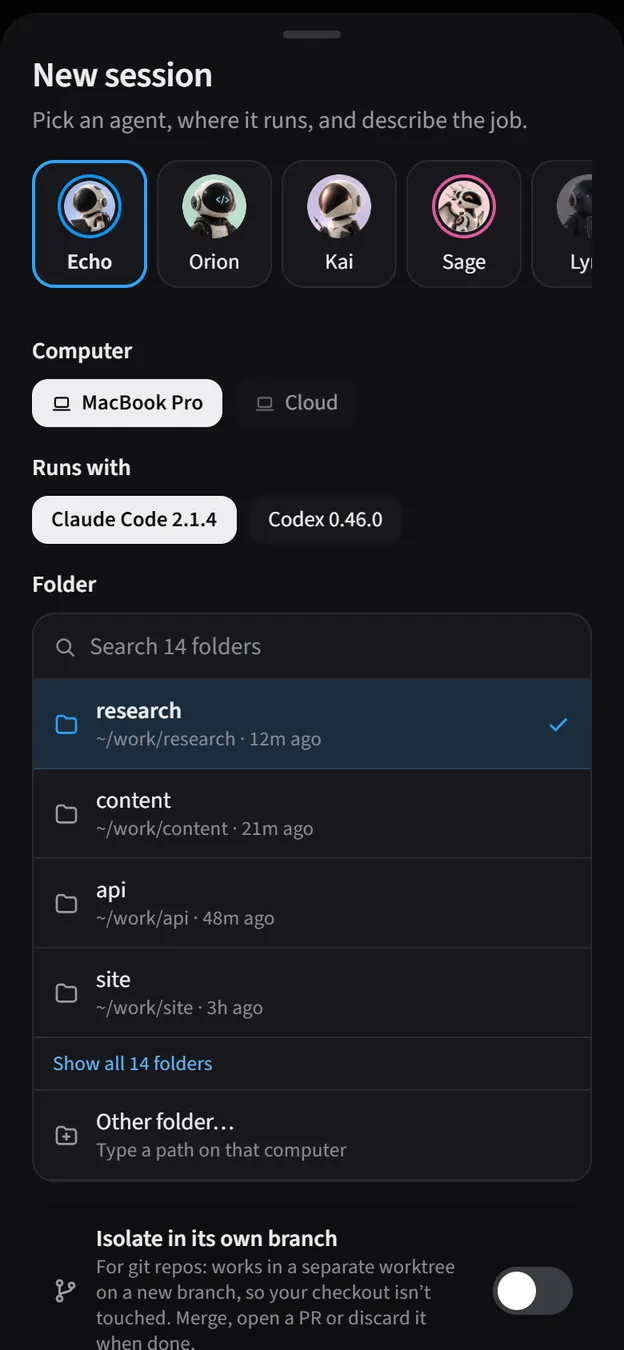
Pick an agent, a computer and a folder, and it runs on your machine. Or put it on a schedule and let it run while you sleep.
CLive sessions
DUsage and budgets
Per agent, computer and model. A budget notifies you, or pauses the work.
EGit from the phone
See the diff and the checks, then ship it or send it back.
Live sessions · sub-agents
Sub-agents circle the agent that started them, so you see who is working on what, and the face tells you who’s asking before you read a word.
AndroidiPhone web appWebWindows Early access
Agents can operate the apps you allow. A companion points at the exact button first, and sensitive steps wait for your OK on the phone.
Boundaries decide before an action runs. Blocked means blocked: it is never an approval, so an agent can’t argue its way past it.
Protection level for this session
Balanced. Work freely, but no risky changes outside the project.
Set it per session, per project, or as your default. Only your own apps can change a level; the connector can’t.

$ cat ~/.ssh/id_rsa Blocked by Arcon
Reading secrets is blocked from Minimal up. Nothing ran.
Arconnow
Orion was blocked from reading your SSH key
It tried cat ~/.ssh/id_rsa. The boundary said no before it ran.
Repeated severe breaches pause the session, and a pause is never silent.
One line on the computer that runs your agents, one scan with your phone. No admin rights, nothing exposed.
Install the connector, then scan the code it prints with your phone.
$ curl -fsSL https://arcon.dev/install.sh | sh
$ arcon pair
> irm https://arcon.dev/install.ps1 | iex
> arcon pair
Claude Code and Codex run exactly as before; Arcon follows each session through their hooks. Anything else runs with arcon run.
$ claude
$ codex
$ arcon run -- gemini
Approvals, questions and results come to you. The agent waits safely until you decide.
Agents keep running on your machines. Arcon relays what they report and what you decide, nothing more.
Stays here
Your computerThe connector only dials out. No inbound ports, no tunnels.
Delete a session and it’s gone.

Your phoneSigns in on its own, bound to the device. Revoke it and its sessions end.
Arcon is invite-only while we finish the beta, and it costs nothing the whole time. No card, no trial clock.

What the beta includes
A person reads every request. Already have a code? Use it here.
Something missing? hello@arcon.dev
No. The connector streams what an agent reports: status, outputs and questions. Nothing on your computer is exposed inbound, and Arcon’s own files and your secrets are protected by the boundaries.
Claude Code and Codex connect through their hooks: approvals, questions and live sessions. Gemini CLI, Cursor CLI and any other terminal agent run with arcon run -- <command>, so you can follow them and stop them from anywhere.
The agent waits. Nothing that needs your OK runs until someone decides, on your phone, on the web or at the terminal, and an old answer can’t approve something new. A question at the end of a turn waits up to 20 minutes, then the turn ends as it would without Arcon.
The Android app, and the web app on iPhone (add it to your Home Screen). The connector runs on macOS, Linux, WSL and Windows. The Windows desktop app, with the companion, is in early access; computer use comes to it soon.
Nothing. Arcon is free during the private beta.
Arcon is invite-only while we finish the beta. Use an invite code from someone who already has Arcon, or request an invite by email and a person will answer.
No. Arcon is independent and not affiliated with Anthropic, OpenAI, Google or Anysphere. It connects to Claude Code and Codex through the hooks they provide, and to other agents through arcon run.
Private beta · free while in beta
Android app · web app (add it to your iPhone Home Screen) · Windows app in early access