Approvals
Know what you’re saying yes to.
Every permission request arrives in plain language: what the agent will do, how risky it is, whether it can be undone, and the answer we suggest.
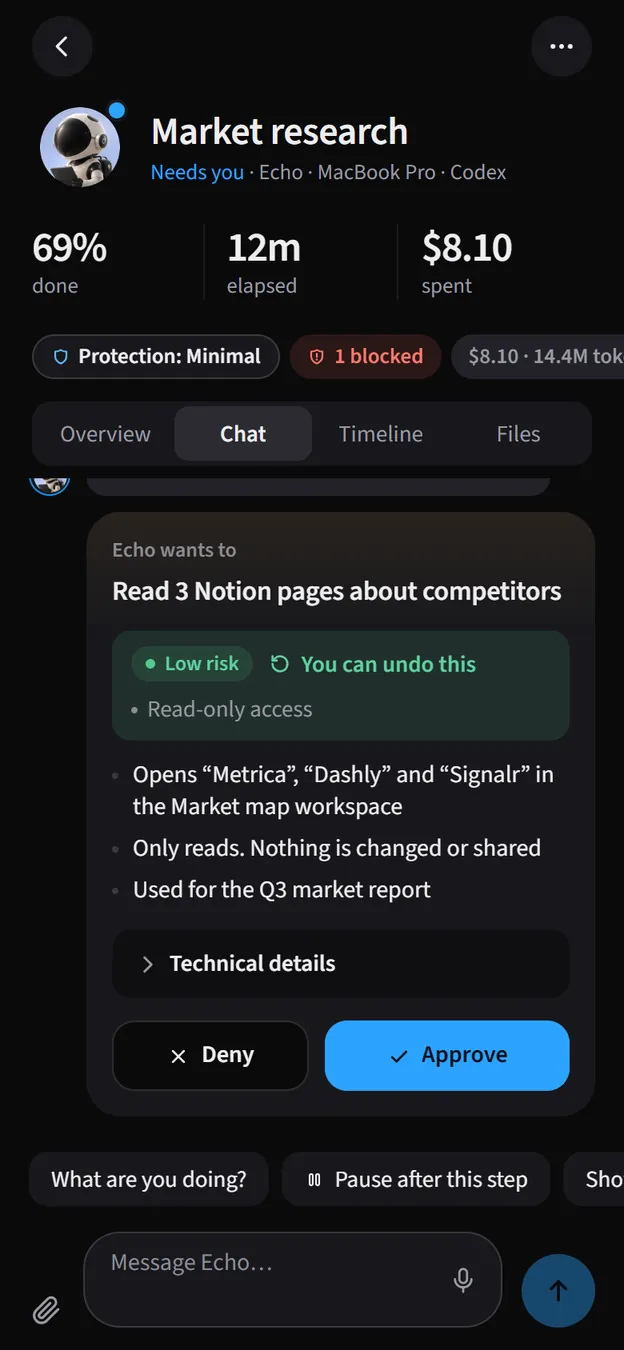
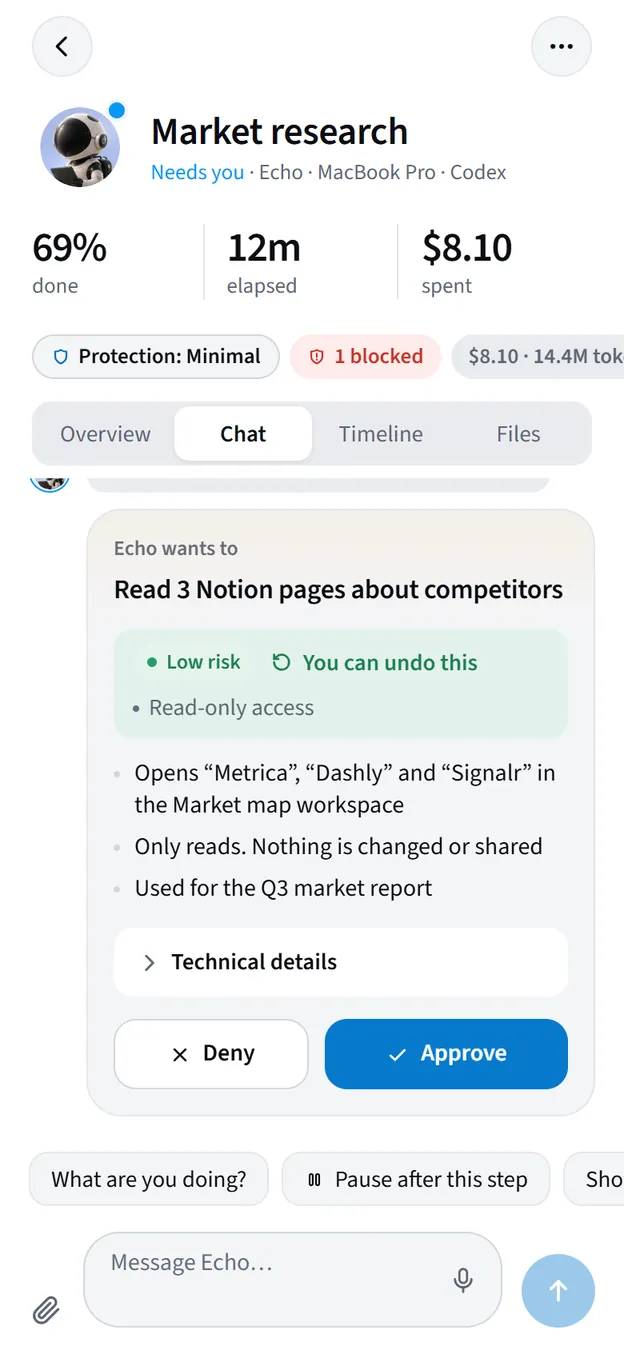
Six things on every card.

- What it will doOne sentence, in plain words. No tool names unless they matter.
- How risky it isLow risk, take a look, or high risk.
- Can it be undoneSaid out loud, every time.
- The detailsWhat exactly, where, and what it won’t touch.
- More if you want itTechnical details and Explain more, on demand.
- The suggested answerThe recommended button is the obvious one.
Three levels, one rule.
The riskier the step, the harder it is to say yes by accident.
Read 3 Notion pages about competitors
RiskLow risk
Read-only. Allow once is the suggested answer.
Wipe the local database and run the integration tests
RiskTake a look
Deletes local test data and can’t be undone. Read before you answer.
Overwrite the main branch on GitHub with Orion’s copy
RiskHigh risk
Deny is the suggested answer. Allowing needs a second press.
Answer wherever you are.
Allow once, or remember the answer for that agent. Questions come with suggested answers you can tap.
On your phone
A push notification opens the card. Android app, or the web app on iPhone.
On the web
The inbox on arcon.dev/app, with the same cards and answers.
On your desktop Windows app · early access
The companion shows the card in a bubble right above your apps.
Private beta · free while in beta
Stop babysitting the terminal.
Android app · web app (add it to your iPhone Home Screen) · Windows app in early access