Computer use · coming soon
Your agent can use your apps. You see every click.
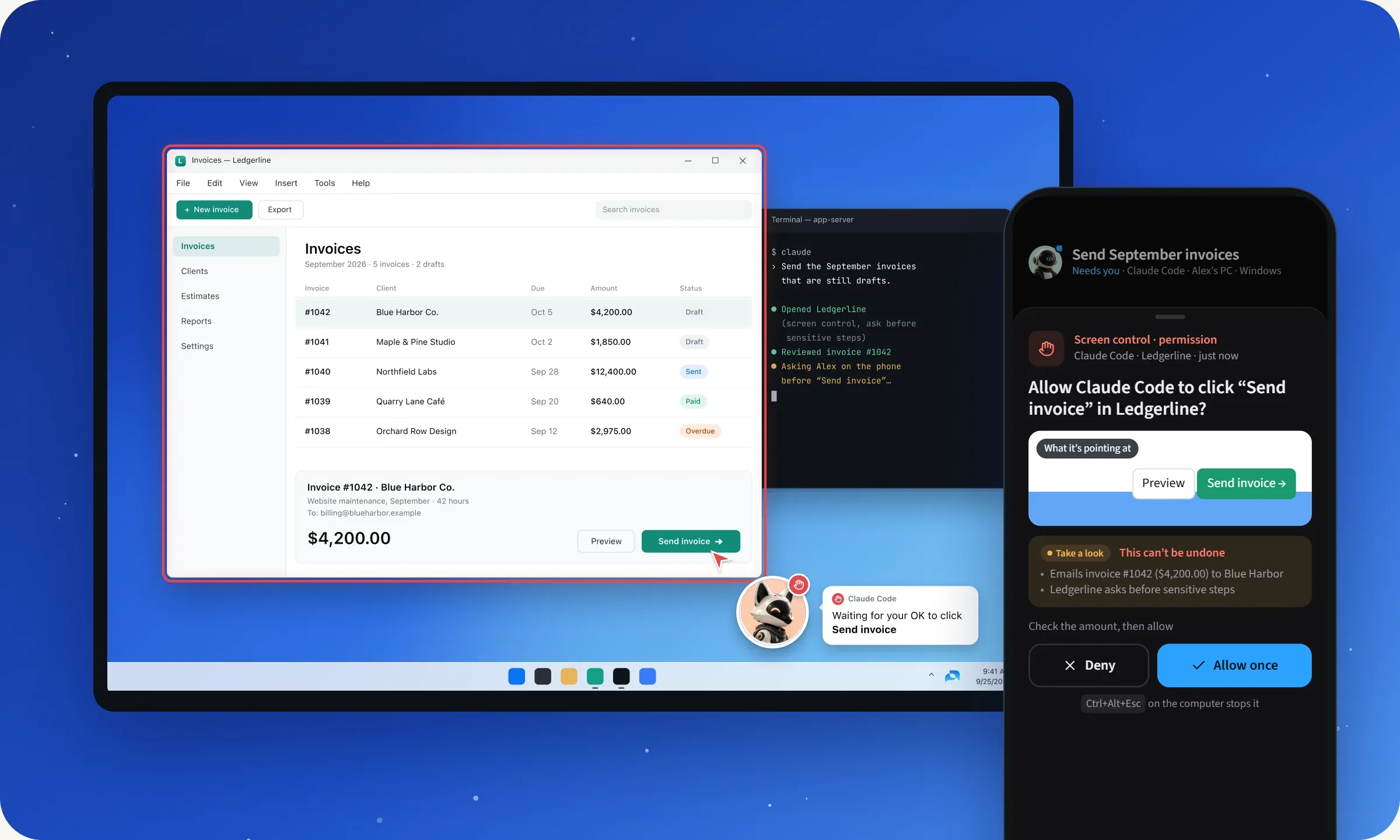
Agents can operate the Windows apps you allow. A companion points at the exact button first, says what it’s about to do, and waits for your OK on sensitive steps.
Look, point, ask, act.
1
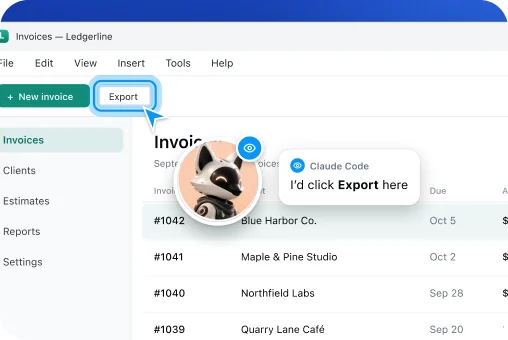
Looks
With your permission, it can see the screen. An eye badge shows while it’s looking.
2
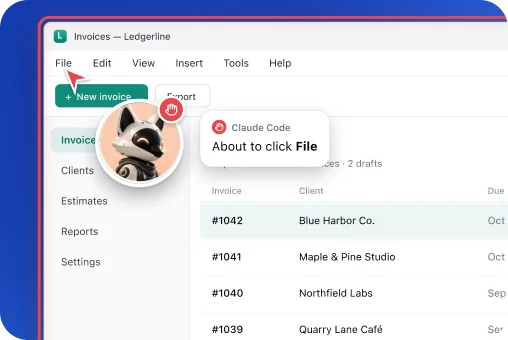
Points
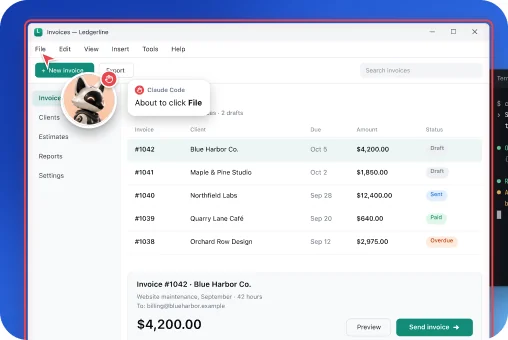
A companion flies to the exact button and says “About to click File”.
3
Asks
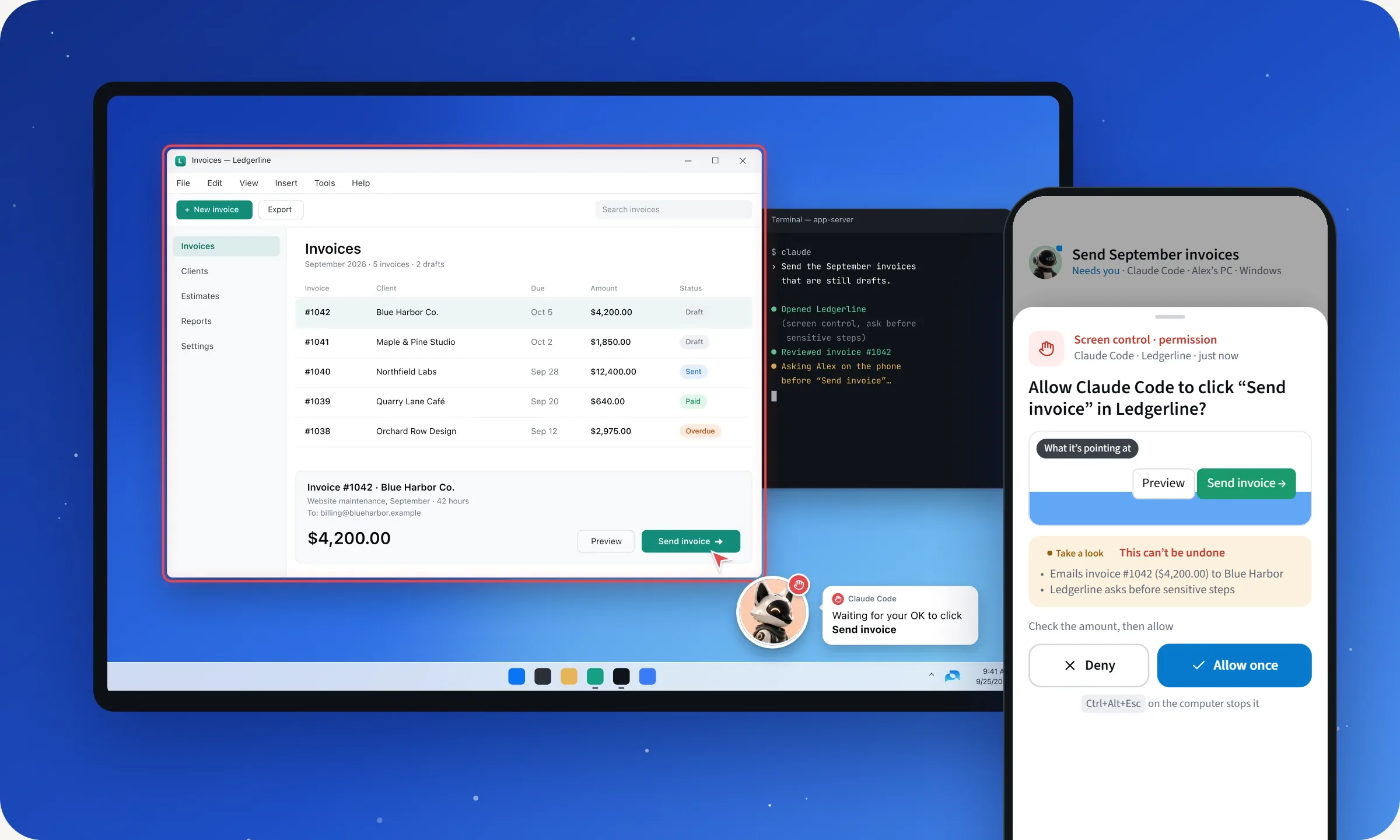
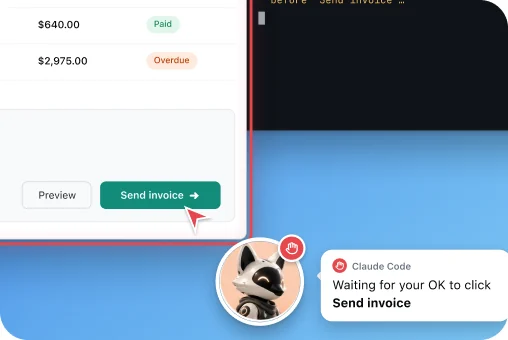
Sensitive steps wait for your OK on the phone, with a picture of the target.
4
Acts
A red frame shows the app it’s operating. Then the click happens.
You decide how much it may do alone.
Every app you allow gets its own level. Anything not on your list is refused.
- Ask before sensitive steps (default)Default. Sending, deleting, paying and submitting wait for your OK.
- Ask every stepEvery click and every keystroke waits for your OK.
- Full autonomyNo per-step approvals, confirmed once. Hard limits still apply.
Hard limits, at every level
- Password fields are refused, both ways
- Apps that aren’t on your list are refused
- Apps on the never-see list are never captured
The stop key
One shortcut stops it, any time. So does Stop on the companion.
The shortcut can be changed in Settings.
Private beta · free while in beta
Coming soon to the Windows app.
The Windows app is in early access now; computer use arrives with its signed release. Join the beta to be ready when it ships.